

Why Low-Value Pages Get Crawled More (and How to Stop It)
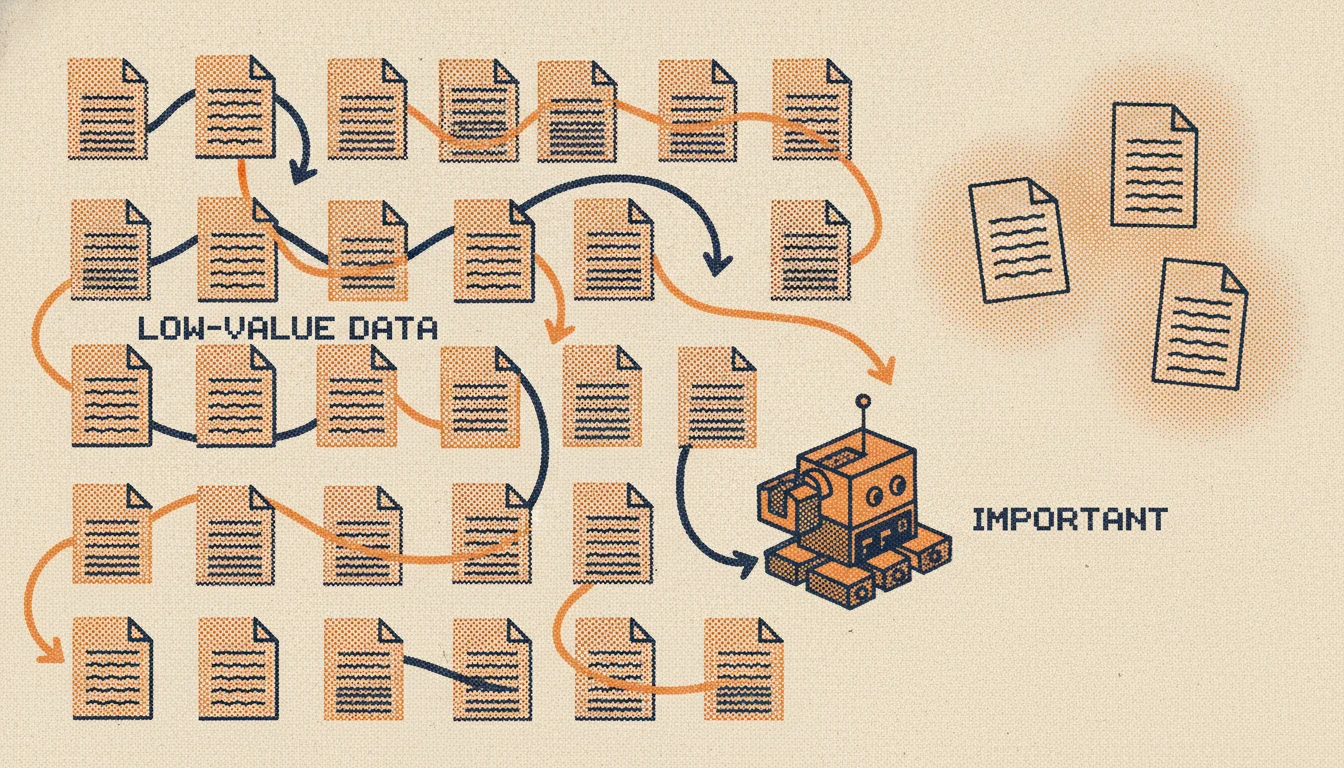
Here is a frustration that shows up again and again in technical SEO forums: someone checks their crawl stats and finds Googlebot hammering pages nobody cares about, old event listings, filter combinations, tag archives, while genuinely important pages get visited once a month. It feels backwards. Why would a search engine spend its time on your weakest pages and ignore your best ones?
The answer is that crawlers do not know which pages matter until they look, and low-value pages have a way of multiplying until they crowd everything else out. This guide explains why that happens, how to find the offenders, and how to point crawl attention back where it belongs.
What Is Crawl Budget, and Who Should Care?
Crawl budget is the number of URLs a search engine is willing to crawl on your site in a given period. It is shaped by two things: how much crawling your server can handle without slowing down (crawl capacity), and how much the search engine wants to crawl based on your site’s importance and freshness (crawl demand).
For most small sites, crawl budget is a non-issue. If you have a few hundred pages, Google will crawl them all comfortably. Crawl budget becomes a real problem when you have many thousands of URLs, especially when a large share of them are low value. That is when the math turns against you: every request spent on a useless page is a request not spent on a page you want indexed and ranking.
Why Low-Value Pages Attract More Crawling
The backwards feeling comes from a simple mechanism. Crawlers discover URLs by following links, and they revisit URLs based on how often the content seems to change. Low-value pages tend to win on both counts, for the wrong reasons.
They win on volume because they are generated automatically and endlessly. One product catalog with a few filters can produce tens of thousands of URL combinations. One calendar can produce a new page for every day, forever. You did not write these pages by hand, so it is easy to forget how many of them exist.
They win on apparent freshness because their content shifts constantly. A “sort by price” page or a paginated archive changes every time inventory or posts change, so a crawler keeps coming back to check, even though nothing meaningful is new. The page looks alive, so it gets attention it has not earned.
The result is a site where the crawler is busy, but busy in the wrong place.
The Usual Culprits
Most crawl-budget waste comes from a familiar set of patterns:
- Faceted navigation and filters. Every combination of color, size, brand, and sort order becomes its own URL. This is the single biggest source of crawl bloat on e-commerce sites, covered in depth in our e-commerce crawl budget guide.
- URL parameters. Session IDs, tracking parameters, and sort orders create near-infinite variations of the same content.
- Tag and archive pages. Tag systems often generate a thin page for every tag ever used, many with one or two posts.
- Old, time-bound pages. Past event listings, expired offers, and dated archives that no longer serve anyone but still sit in the crawl path. This is the “how long do I keep old calendar pages” question that comes up constantly, and the answer is usually: not in a way that wastes crawl budget.
- Thin and duplicate pages. Near-identical pages with little unique content give the crawler more to chew on and nothing to reward.
- Infinite spaces. Calendars with “next month” links forever, or filters that link to more filters, can trap a crawler in a loop it never finishes.
How to Find Your Low-Value Pages
You cannot fix what you cannot see, and crawl waste is mostly invisible from the browser. Three sources reveal it:
- Server log files. Your logs show exactly which URLs crawlers actually request, and how often. Sort by crawl frequency and you will quickly see whether Googlebot is spending its visits on money pages or on filter junk.
- The Crawl Stats report in Search Console. It shows crawl requests over time, broken down by response code and file type, and flags whether crawling is trending up for the wrong reasons.
- A full-site crawl of your own. Crawling your site the way a search engine does surfaces the URL patterns you forgot existed, the parameter explosions, the thin archives, the infinite spaces. Pair that with a technical view of how crawlers traverse your site and the picture becomes clear.
What you are looking for is the gap between the pages you care about and the pages getting crawled. That gap is your opportunity.
How to Fix It
Once you know which pages are wasting budget, you have a toolkit:
- Block at the source with robots.txt. For URL patterns that should never be crawled, like sort parameters or session IDs, disallow them in robots.txt. The crawler never spends a request on them.
- Use noindex for pages that must exist but should not rank. Some thin or duplicate pages need to stay accessible to users but add nothing to search. A noindex tag keeps them out of the index, though note they still get crawled, so robots.txt is better for pure crawl savings.
- Consolidate with canonical tags. When many URLs show the same content, point them at one canonical version so the crawler learns to treat them as one.
- Prune what is truly dead. Old event pages and expired content that serve no one can be removed and returned as 404 or 410, or redirected to a relevant live page. Let them go.
- Fix your internal linking. Crawlers follow links, so if your low-value pages are heavily linked, they get crawled heavily. Reducing internal links to thin pages, and strengthening links to important ones, redirects crawl flow. Our guide on internal linking and crawl budget goes deeper.
- Keep your sitemap clean. An XML sitemap should list only the canonical, indexable pages you want crawled, a clear signal of what matters.
For the full framework, the crawl budget optimization guide ties these tactics together.
Common Mistakes
A few traps are worth avoiding:
- Noindexing to save crawl budget. Noindex keeps a page out of the index but does not stop it being crawled. For crawl savings, block in robots.txt instead.
- Blocking pages you also canonicalize. If you disallow a URL in robots.txt, the crawler cannot see its canonical tag, so the consolidation signal is lost. Pick one approach per URL.
- Pruning without checking links and traffic. Before you delete a low-value page, make sure it is not quietly earning links or traffic. Some thin-looking pages still pull their weight.
- Ignoring it because the site is small. If you have a few hundred clean pages, you genuinely do not need to worry. Spending hours on crawl budget for a small site is effort better spent elsewhere.
How Seodisias Helps
The hardest part of crawl-budget work is seeing the problem in the first place, because the wasteful URLs are generated, not authored, and they hide from a normal browse. Seodisias is a free, cross-platform desktop crawler that walks your entire site the way a search engine does and surfaces exactly these patterns: the parameter explosions, the thin and duplicate pages, the archives and infinite spaces eating your crawl path. You see the URL patterns that are quietly multiplying, decide what to block, prune, or consolidate, and point crawl attention back at the pages that earn it. No account, no limit, and your crawl data never leaves your machine.
The Bottom Line
Search engines do not crawl your best pages first; they crawl whatever they can reach, as often as it seems to change. Low-value pages exploit both of those instincts, multiplying in number and shifting in content until they crowd out the work you actually want indexed. The fix is not more content or more links. It is seeing the waste clearly, then using robots.txt, canonicals, pruning, and cleaner internal linking to send crawl attention back where it belongs. On a large site, that redirection of attention is one of the highest-leverage things technical SEO can do.
Want to see which pages are quietly eating your crawl budget? Crawl your site free with Seodisias.
Looking for something else?
Search every guide on the blog without going back to the list.